Get Started with Ghost
Download Ghost and take your first step toward private communication and digital finance.


Already installed Ghost from Google Play? Android will refuse the APK, because the two are signed with different keys. Update from Play Store instead.
How Ghost Works
Create your Ghost identity without relying on a phone number or email.
Find and connect with other Ghost users through their Ghost ID.
Send messages, media, make calls, and create groups.
Use disappearing messages and Panic Mode to control your local data.
Activate Ghost Wallet and receive your NPUSD wallet.
Top up your wallet. Your deposit is converted into NPUSD.
Send, receive, request, split bills, and withdraw funds.
Your first 5 minutes
Start by creating your identity
When you first open Ghost, you'll be asked to create your Ghost ID.
Your Ghost ID is how other people find and connect with you. You don't need to use your phone number or email address.
What to do:
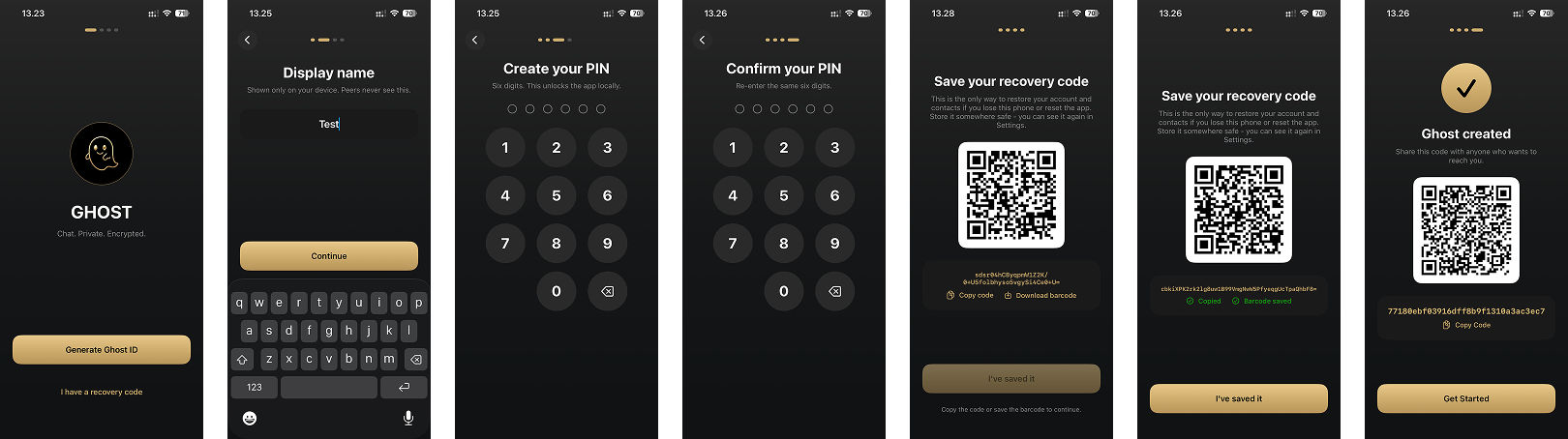
- Open Ghost and click Generate Ghost ID.
- Start with creating your display name.
- Create your PIN.
- Confirm the PIN.
- Save your recovery code and download the QR code.
- Once your Ghost ID is created, you'll be ready to connect with other people.
Tip: Your Ghost ID is unique to you, so keep it somewhere safe if you need to share it with someone.
Connect with someone using their Ghost ID
To start a conversation, you need the other person's Ghost ID.
You can either scan their QR code, let other people scan your QR code, or enter their Ghost ID manually.
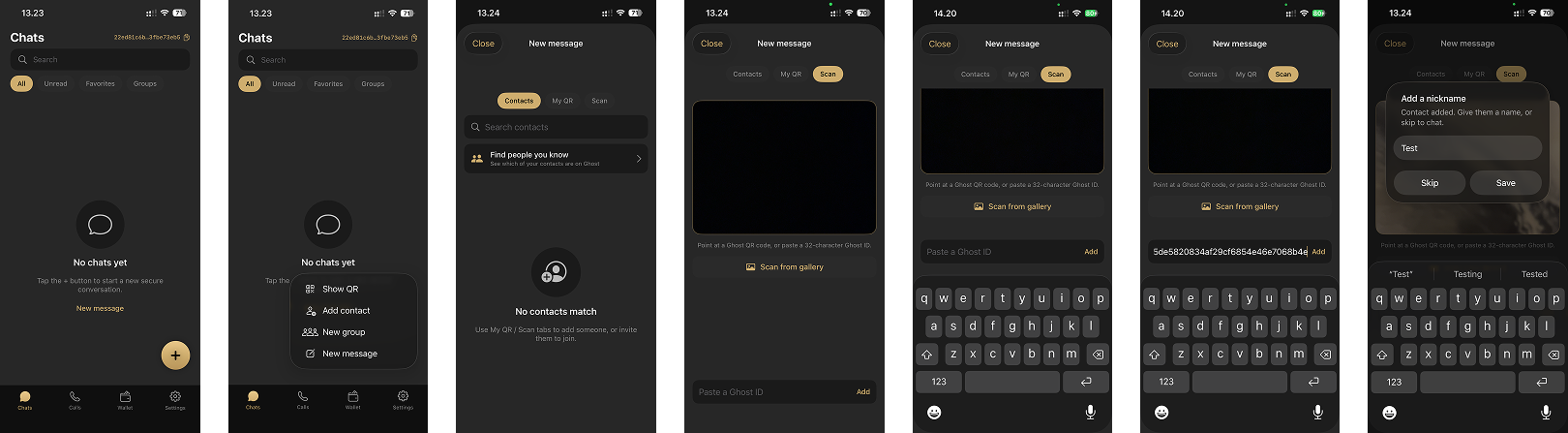
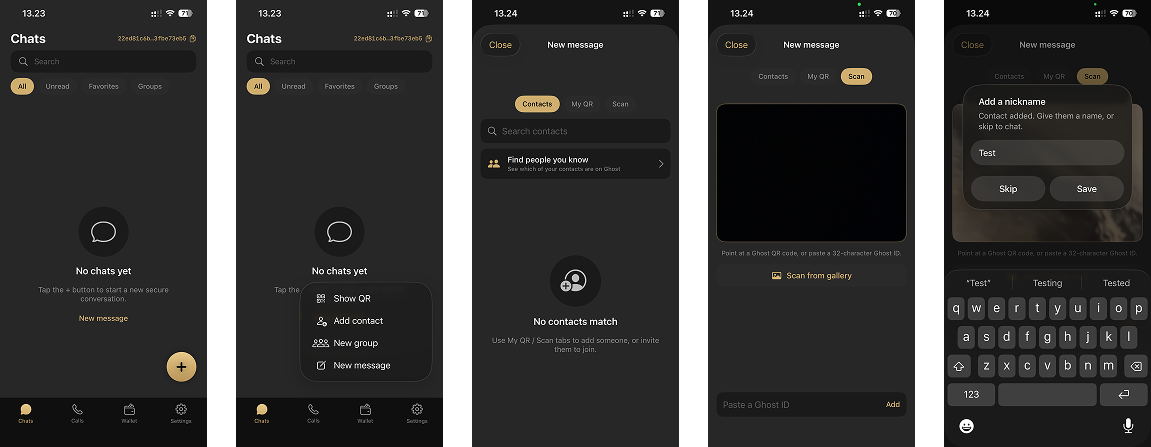
To add by using a Ghost ID:
- Press the + button on the bottom right.
- Tap Add Contact.
- Tap Scan from the top menu.
- Paste the Ghost ID on the bottom.
- Ghost will recognize their ID automatically.
- Add a nickname.
- Start chatting.
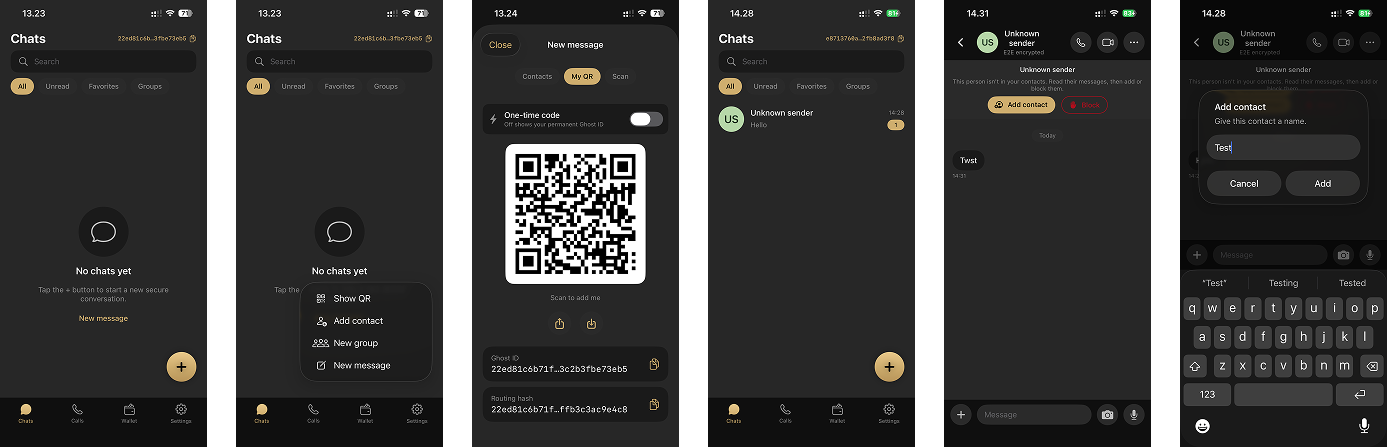
To let others scan your QR code:
- Press the + button on the bottom right.
- Tap Show QR Contact.
- Let others scan your QR code.
- They have to message you.
- Press Add Contact.
- Add a nickname.
To scan a QR code:
- Press the + button on the bottom right.
- Tap Add Contact.
- Tap Scan from the top menu.
- Point your camera at the other person's Ghost QR code.
- Ghost will recognize their ID automatically.
- Add a nickname.
- Start chatting.
Keep your payments inside Ghost
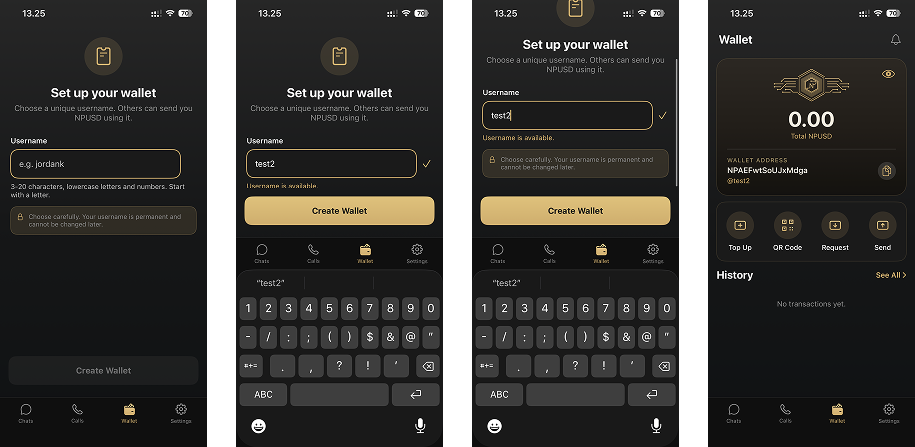
Ghost Wallet lets you send, receive, request, and manage digital payments without leaving the Ghost ecosystem.
What to do:
- Press the Wallet tab from the bottom navigation bar.
- Create your Wallet Username (this has to be unique).
- Start using Ghost Wallet.
That’s it.
In just a few minutes, you’ve:
Welcome to Ghost.
Private communication. Secure payments. One ecosystem.